Matplotlib
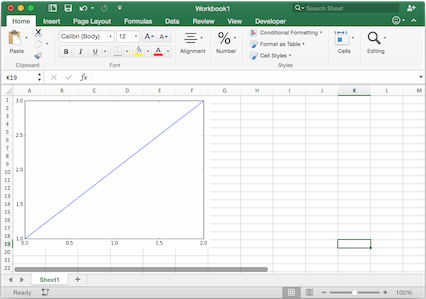
Using pictures.add(), it is easy to paste a Matplotlib plot as picture in Excel.
Getting started
The easiest sample boils down to:
>>> import matplotlib.pyplot as plt
>>> import xlwings as xw

>>> fig = plt.figure()
>>> plt.plot([1, 2, 3])

>>> sht = xw.Book().sheets[0]
>>> sht.pictures.add(fig, name='MyPlot', update=True)
Note
If you set update=True, you can resize and position the plot on Excel: subsequent calls to pictures.add()
with the same name ('MyPlot') will update the picture without changing its position or size.
Full integration with Excel
Calling the above code with RunPython and binding it e.g. to a button is straightforward and works cross-platform.
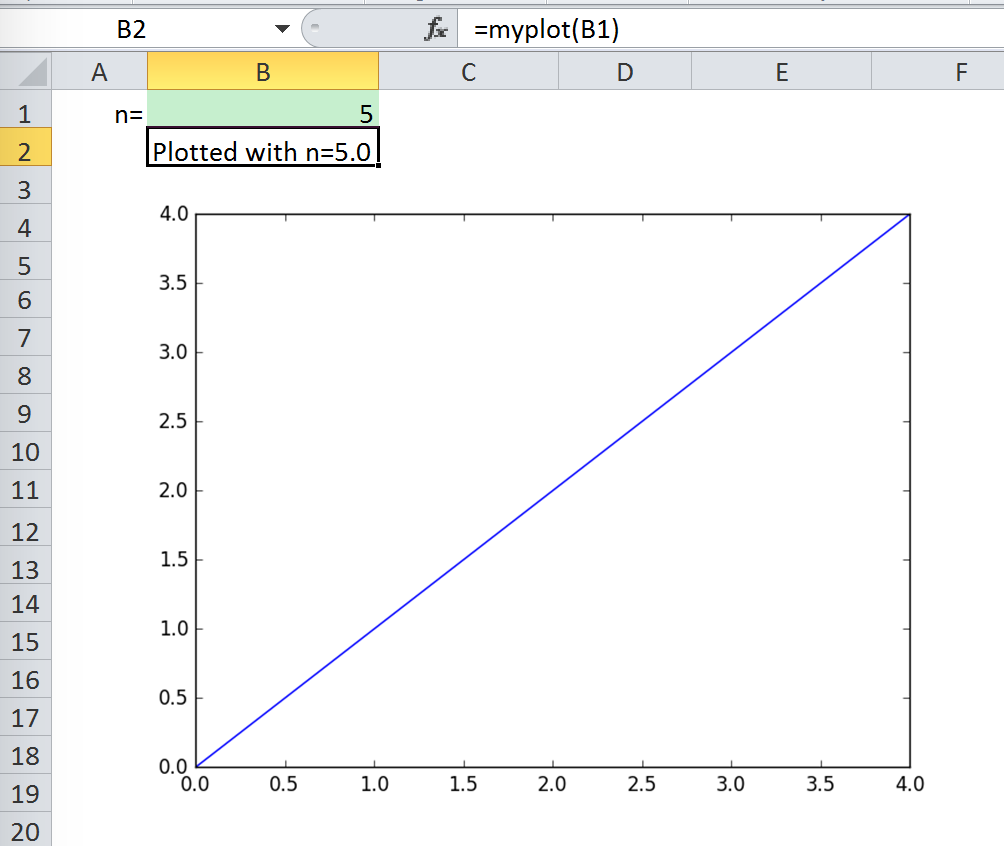
However, on Windows you can make things feel even more integrated by setting up a UDF along the following lines:
@xw.func
def myplot(n):
    sht = xw.Book.caller().sheets.active
    fig = plt.figure()
    plt.plot(range(int(n)))
    sht.pictures.add(fig, name='MyPlot', update=True)
    return 'Plotted with n={}'.format(n)
If you import this function and call it from cell B2, then the plot gets automatically updated when cell B1 changes:
Properties
Size, position and other properties can either be set as arguments within pictures.add(), or
by manipulating the picture object that is returned, see xlwings.Picture().
For example:
>>> sht = xw.Book().sheets[0]
>>> sht.pictures.add(fig, name='MyPlot', update=True,
                     left=sht.range('B5').left, top=sht.range('B5').top)
or:
>>> plot = sht.pictures.add(fig, name='MyPlot', update=True)
>>> plot.height /= 2
>>> plot.width /= 2
Getting a Matplotlib figure
Here are a few examples of how you get a matplotlib figure object:
via PyPlot interface:
import matplotlib.pyplot as plt
fig = plt.figure()
plt.plot([1, 2, 3, 4, 5])
or:
import matplotlib.pyplot as plt
plt.plot([1, 2, 3, 4, 5])
fig = plt.gcf()
via object oriented interface:
from matplotlib.figure import Figure
fig = Figure(figsize=(8, 6))
ax = fig.add_subplot(111)
ax.plot([1, 2, 3, 4, 5])
via Pandas:
import pandas as pd
import numpy as np

df = pd.DataFrame(np.random.rand(10, 4), columns=['a', 'b', 'c', 'd'])
ax = df.plot(kind='bar')
fig = ax.get_figure()